Google Shopping Ads & Merchant Center: A UK Beginner's Guide
Updated: 6 days ago
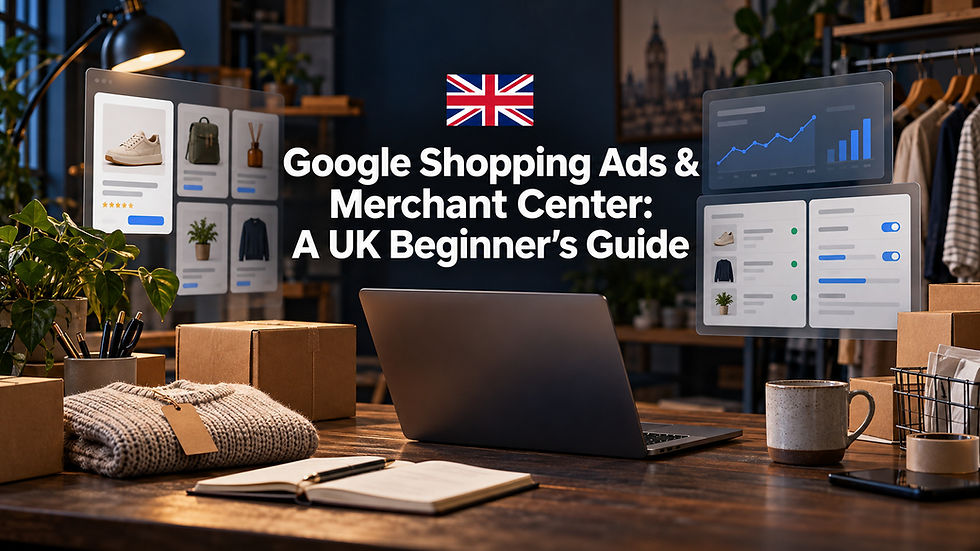
Google Shopping ads are the product listings — image, price and shop name — that sit at the top of Google. They don't run on keywords: they're powered by a product feed you manage in Google Merchant Center. Get the feed right, switch on the free listings, then run a Standard Shopping or Performance Max campaign to buy extra visibility.
What Google Shopping ads actually are
Those tidy product boxes at the top of a Google search — a photo, a price, your shop name, sometimes a star rating — are Shopping ads. Increasingly they sit right next to free product listings that cost you nothing.
Unlike a plain text search ad, a Shopping ad shows the product before the click. The shopper already sees the item, the price and who's selling it, so the clicks you pay for tend to be far better qualified.
That visibility matters more every year. In August 2026, 28.8% of all UK retail sales were made online, according to the Office for National Statistics — and for a huge share of those journeys, the first step is a product search on Google.
How it works: the feed, not keywords
Here's the part that trips up most beginners: with Shopping, you don't pick keywords. Google decides when and where to show your products by reading your product data — your feed.
The feed is a structured list of every product you sell, with attributes like a unique ID, title, description, link, image, price, availability, brand and GTIN (the barcode number). Google matches that data against what people are searching for.
Your feed is the single biggest factor in whether Shopping works. If the price or availability in your feed doesn't match your landing page, or a GTIN is missing or wrong, Google will simply disapprove the product and it won't show at all.
Setting up Google Merchant Center
Merchant Center is the free hub where your product data lives. One quick note on names: Google dropped the 'Next' label on 9 July 2026, and the old 'Classic' version was retired back in September 2024 — so if a tutorial talks about 'Merchant Center Next' or 'Classic', it's all just one tool now.
Create a free Merchant Center account and verify and claim your website, so Google knows the shop is genuinely yours.
Add your products: connect your store platform (Shopify, WooCommerce, BigCommerce and others link directly), upload a feed or spreadsheet, or let Merchant Center auto-detect products straight from your site.
Set your UK basics — country United Kingdom, currency GBP, and prices that already include VAT. In the UK the feed price must be VAT-inclusive; Google won't add tax on top at checkout the way it does for the United States.
Add accurate delivery and returns details, then work through the Products and Diagnostics area to clear any disapprovals before you spend a penny.
Free listings vs paid Shopping ads
Since 2020, Google has shown free product listings on the Shopping tab and across parts of Search at no cost. For a small business, that's a genuine free channel — so set it up first.
Opt into free listings in Merchant Center, get your products approved, and you're eligible with zero ad budget. Paid Shopping ads then buy you prominence at the very top of results. The smart move is to run both: free listings for baseline visibility, paid ads for reach and control.
Standard Shopping vs Performance Max
When you're ready to pay for placement, you have two main routes.
Standard Shopping gives you more control and transparency. You can see the search terms triggering your ads, add negative keywords, structure campaigns by product or margin, and your ads appear on Search, the Shopping tab and Images. It's the better place to learn the ropes.
Performance Max is Google's AI-run campaign. It uses your feed plus extra assets to advertise across Search, Shopping, YouTube, Gmail, Discover and Maps. You get less visibility into the detail, though Google added channel-level reporting and up to 10,000 negative keywords in 2025. It often performs best once you have solid conversion tracking and some data behind you.
A sensible order for most UK small businesses: switch on free listings, run a small Standard Shopping campaign to learn what sells, then test Performance Max once the data is flowing.
A quick launch checklist
✓ Create Merchant Center and verify your website
✓ Connect your store or upload a product feed
✓ Set country to the UK, currency to GBP, and make every price VAT-inclusive
✓ Add delivery and returns details, then clear every disapproval
✓ Opt into free product listings
✓ Install conversion tracking in Google Ads
✓ Launch a Standard Shopping campaign on a modest daily budget
✓ Review search terms weekly, add negatives, and sharpen your titles and images
✓ Once you have conversion data, test Performance Max
Quick FAQ
Do I need a website to run Google Shopping ads?
Yes. You need a live website with product pages, clear pricing and a working checkout. Google verifies and claims your site before it will approve your products, so a social page or a marketplace listing alone won't qualify.
How much do Google Shopping ads cost in the UK?
There's no minimum spend — you set a daily budget and pay per click. Costs vary by product and competition; many ecommerce categories see median clicks well under 50p, but your real numbers depend on your margins and niche.
Are Google Shopping listings free?
The free product listings on the Shopping tab are genuinely free. Paid Shopping ads cost per click. Most retailers run both, so they capture free traffic and buy extra visibility on top.
Do I need GTINs (barcodes)?
For branded, barcoded products Google expects a valid GTIN, and a missing or wrong one usually triggers a disapproval. Handmade or custom items without barcodes can set the identifier-exists attribute to false instead.
Most small retailers I meet are leaving the easy win on the table — their product feed. Fix your titles, prices and images, switch on the free listings, and you'll often see traffic before you've spent a penny on ads. In Shopping, tidy data beats a big budget nearly every time. — Daniel Nikolla, Founder of Merx Marketing
The takeaway: Google Shopping is won in the feed, not the bidding. Clean, accurate, VAT-inclusive product data is what gets you seen — and sold.
When did you last check your product feed for disapprovals — and how many sales might those quiet errors be costing you?
If you would like to know more about this topic, please contact us on danieln@merxmarketing.co.uk
Related reading
Written by Daniel Nikolla, Founder of Merx Marketing Ltd and Marketing Minute